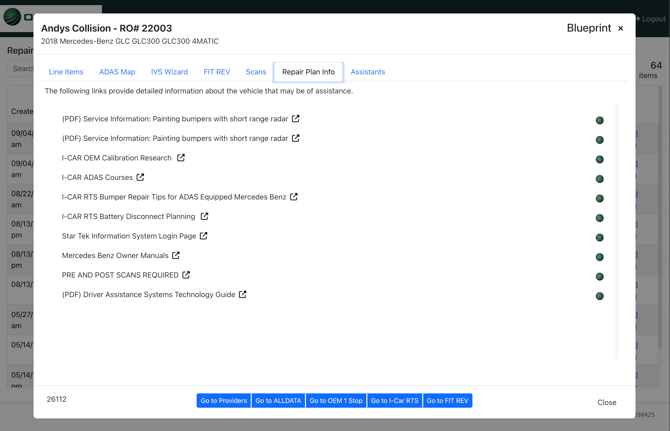
When you open a Vehicle File inside ADAS MAP PRO, you are taken into a workspace where information is organized into tabs. Each tab focuses on a different aspect of the repair and blueprinting process.
From this workspace, you can:
This structure allows teams to stay within a single workflow while reviewing repair context, ADAS-related considerations and supporting documentation.
Key Navigation Steps:
From this workspace, you can:
- Move between tabs to review different types of information
- View data and documentation tied to the selected vehicle file
- Review supporting context alongside the repair plan
This structure allows teams to stay within a single workflow while reviewing repair context, ADAS-related considerations and supporting documentation.
Key Navigation Steps:
- Open the vehicle file you’re working on.
- Notice that information is organized into tabs within the workspace.
- Select different tabs to review repair context, ADAS-related information and supporting documentation.
- Return to previous tabs as needed while validating the repair plan.
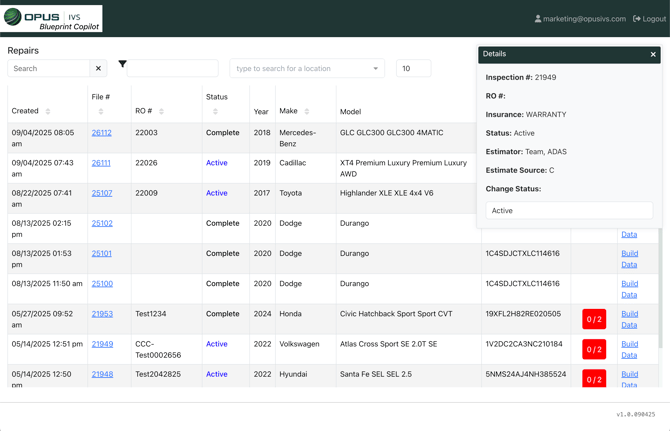
Here is the Repairs view:
Here is the Tabs view on a Vehicle File: