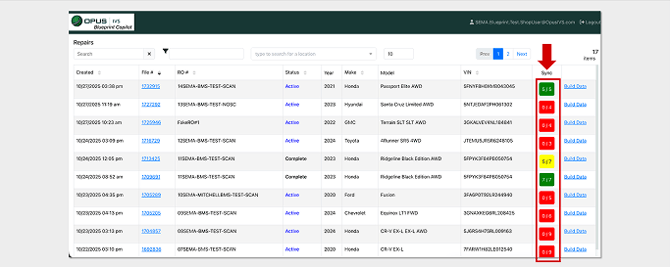
ADAS MAP PRO’s Sync Column presents what RO’s’ need to be “synced” with the the CCC or Mitchell estimating platform.
This view is intended to help teams maintain visibility into outstanding review items as they work through the blueprinting process.How to use the Sync Column View:
Green means all items in ADAS MAP PRO have been “synced” with CCC, Yellow means some items have been “synced” and Red means no items in ADAS MAP PRO have been “synced"