
If you wrote an estimate but don't see the corresponding report in ADAS Map, check the following common causes:
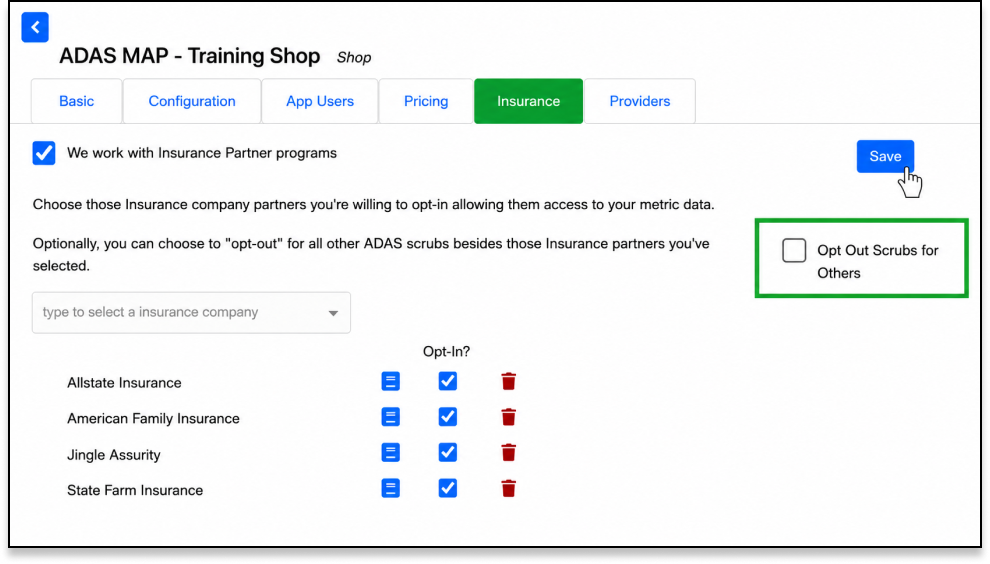
1. Check Your "Opt-Out" Settings.
- The Issue: Your shop may have the "Opt Out Scrubs for Others" setting enabled. If this box is checked, the system only scrubs estimates for specific insurance carriers you have manually selected.
- The Fix: If you want to scrub all estimates regardless of the insurance company, ensure "Opt Out Scrubs for Others" is unchecked in your configuration settings.
2. Check your CCC Secure Share Settings.
- The Issue: CCC Secure Share controls what repair order, estimate, vehicle, and attachment/report information can be shared between CCC and OPUS IVS. If OPUS IVS is not allowed to access or return the required information, the ADAS Map Report may not transfer back into CCC or appear in the Attachments tab.
- The Fix: In CCC, review your Secure Share settings and confirm OPUS IVS is enabled with the proper permissions to send and receive estimate, repair order, vehicle, and report/attachment information. Then refresh ADAS Map or search for the repair order again.
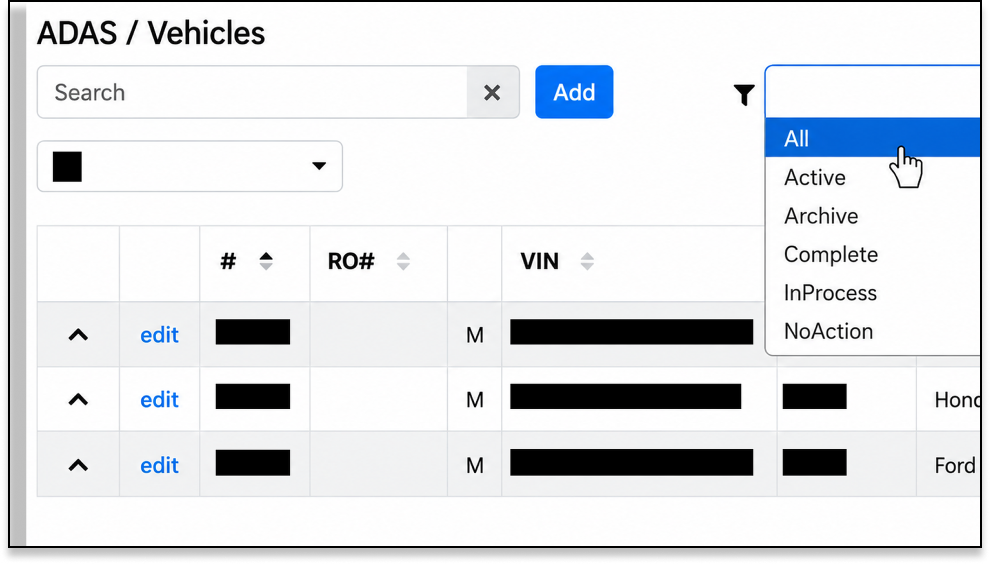
3. Check your search filters in the ADAS Map Grid (where your reports are listed) has sticky filters.
- The Issue: If you previously filtered by a specific status (e.g., "Active") or date range, the grid remembers that setting even if you log out and back in.
- The Fix: Clear all filters on your grid and search again.
4. Check the Vehicle Year ADAS Map is designed primarily for vehicles model year 2013 to Present. Older vehicles may not trigger a report.
5. Verify the VIN and ensure that the VIN entered in the estimate is valid and corresponds to a supported manufacturer. Exotic vehicles (e.g., Maserati) may be excluded from coverage.
Note: If the report still isn’t appearing, please submit a support ticket.